
Last updated on
Nov 6, 2026
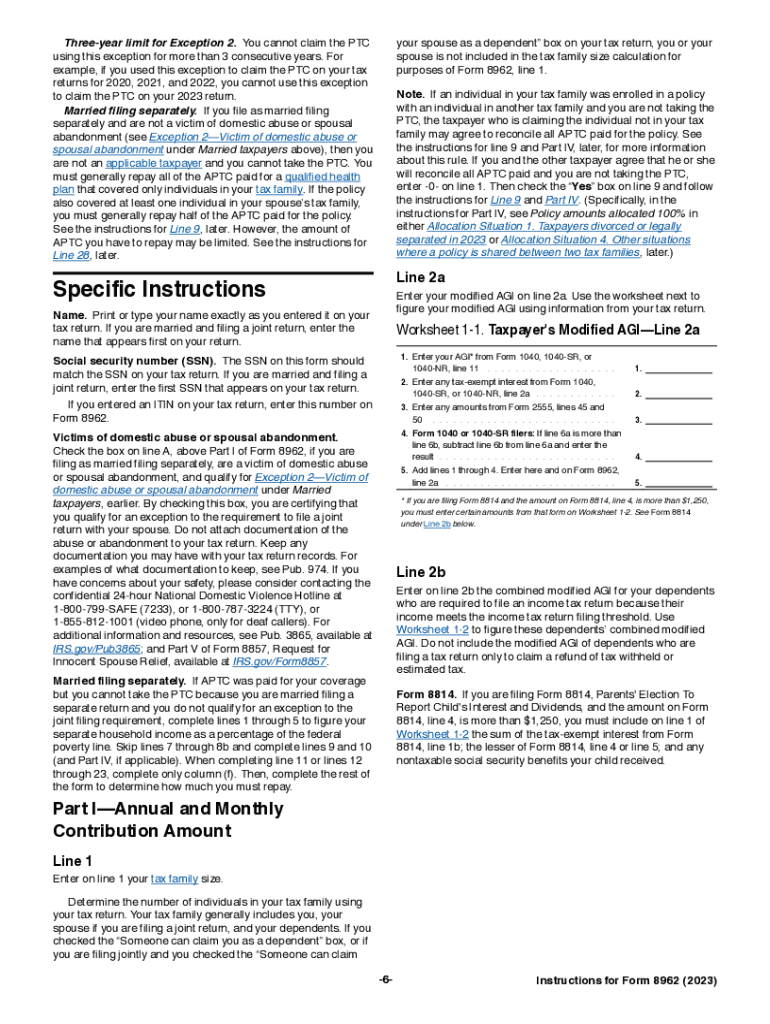
IRS Instructions 8962 2023 free printable template
pdfFiller is not affiliated with IRS

Fill out
Complete the form online in a simple drag-and-drop editor.

eSign
Add your legally binding signature or send the form for signing.

Share
Share the form via a link, letting anyone fill it out from any device.

Export
Download, print, email, or move the form to your cloud storage.
Why pdfFiller is the best tool for your documents and forms


End-to-end document management
From editing and signing to collaboration and tracking, pdfFiller has everything you need to get your documents done quickly and efficiently.
Accessible from anywhere
pdfFiller is fully cloud-based. This means you can edit, sign, and share documents from anywhere using your computer, smartphone, or tablet.
Secure and compliant
pdfFiller lets you securely manage documents following global laws like ESIGN, CCPA, and GDPR. It's also HIPAA and SOC 2 compliant.
What is IRS Instructions 8962
The Instructions for Form 8962 is a tax document used by individuals in the US to calculate their premium tax credit (PTC) and reconcile it with advance payments of the premium tax credit (APTC).
pdfFiller scores top ratings on review platforms




this help me out a lot and is a time saver.
Use PDF filler all the time, what a time saver! very easy to use.
great site , easy to use and super helpful
Très bon logiciel et super simple
I really like it, it streamlined my document for my PhD dissertation.
Thank you
This has made life so much easier when writing documents and upholding confidentiality. Excellent!!!
Who needs IRS Instructions 8962?
Explore how professionals across industries use pdfFiller.

IRS Instructions 8962 is needed by:
-
Individuals eligible for premium tax credit
-
Tax preparers and advisors
-
Health insurance marketplace enrollees
-
Self-employed individuals seeking tax relief
-
Families receiving advance tax credits
-
Participants in the Affordable Care Act (ACA) programs
Comprehensive Guide to IRS Instructions 8962
What is Form 8962 and its Instructions?
Form 8962 is crucial for individuals navigating the Affordable Care Act (ACA). It serves to determine the eligibility and amount of premium tax credit (PTC) for those who have received advance premium tax credits (APTC). Accurate reporting and reconciliation of these tax credits are essential during the tax filing process to avoid discrepancies that could lead to issues with the IRS.
-
Understanding Form 8962's role in tax calculations
-
Importance of PTC in relation to APTC
-
Guidelines on correct documentation submission
Who Needs to Use Form 8962?
Specific groups of individuals must utilize Form 8962, particularly those who have received APTC. Eligibility criteria categorize those who may need to file this form, including married couples and dependents. Additionally, any changes in circumstances, such as income fluctuations or family size adjustments, necessitate the filing of this form.
-
Individuals who received APTC during the tax year
-
Members of households undergoing changes affecting PTC
-
Understanding residency requirements
When to File Form 8962 and Key Deadlines
Timely submission of Form 8962 is critical to ensure compliance with IRS requirements. Deadlines vary by tax year, especially pertinent for the 2023 tax year. Late submission can result in penalties, emphasizing the need for careful planning in aligning Form 8962 with overall tax filing timelines.
-
Important deadlines for the 2023 tax year
-
Consequences of late filing
-
How to synchronize with other tax obligations
How to Fill Out Form 8962: Step-by-Step Instructions
Completing Form 8962 accurately involves understanding each section and its corresponding fields. Gathering necessary documentation, including income statements and health coverage details, is crucial before beginning the form. Awareness of common errors helps prevent mistakes that could lead to rejection.
-
Gather necessary financial documents
-
Review each section of Form 8962 for accuracy
-
Avoid frequent pitfalls that lead to errors
Reviewing Your Submission: Validation Checklist
Before submitting Form 8962, it’s essential to review all provided information. A checklist ensures that all critical details are verified, particularly calculations related to PTC and APTC. Double-checking submission elements can significantly reduce the chances of rejection by the IRS.
-
Checklist of key information to verify
-
Key calculations related to PTC
-
Common mistakes and how to avoid them
Signing and Submitting Form 8962
The signing process for Form 8962 can be completed digitally or through a wet signature, offering flexibility in submission methods. Options include e-filing or traditional paper submission, and it's important to maintain confirmation of submission for personal records.
-
Understanding digital vs. wet signature options
-
Choosing between e-file and paper submission
-
Documentation to retain following submission
What Happens After You Submit Form 8962?
After submission, individuals should anticipate the processing time and learn how to track the status of their Form 8962. If any errors are discovered post-submission, knowing how to amend the form is crucial. Being aware of common rejection reasons allows for quick resolutions.
-
Expected processing times for Form 8962
-
Steps to correct or amend the submission
-
Common rejection reasons and solutions
Security and Data Protection When Using Form 8962
Ensuring the security of sensitive tax information is paramount when handling Form 8962. Utilizing secure platforms such as pdfFiller provides protections including 256-bit encryption and adherence to HIPAA and GDPR standards. Awareness of best practices for data protection is vital during the electronic submission process.
-
Understanding encryption measures in document handling
-
Best practices for safeguarding tax documents
-
Importance of data protection compliance
Utilizing pdfFiller for Form Preparation and Submission
pdfFiller enhances the experience of filling out and submitting Form 8962 with its intuitive features. Tools for editing, signing, and securely submitting the form streamline the tax filing process. Leveraging pdfFiller’s capabilities can lead to a more efficient, error-free experience.
-
User-friendly interface for document editing and signing
-
Features that ensure secure submissions
-
Streamlining the overall tax preparation process
Sample of Completed Form 8962
A completed example of Form 8962 serves as a valuable reference for users. Analyzing a filled-out form allows individuals to understand the various sections and ensures accurate completion when submitting their own forms. Interpreting these samples correctly aids in avoiding common errors.
-
Explanation of each section in the sample
-
Clarifying how to utilize the sample for a personal filing
-
Tips for applying insights from the sample
How to Fill Out Small Business Tax Forms Online with pdfFiller
Struggling with your Schedule C or not sure how to file business taxes as a sole proprietor, LLC, or self-employed professional? This step-by-step pdfFiller tutorial walks you through completing IRS Schedule C quickly and accurately — no printing, no scanning, no stress. Whether you're handling small business tax deductions, tracking self-employed taxes, or preparing your full business tax return, pdfFiller makes it simple right in your browser.

How to fill out the IRS Instructions 8962
-
1.To access Form 8962 on pdfFiller, navigate to the pdfFiller website and use the search tool to locate 'Form 8962 Instructions.' Once found, click to open the form in the editor.
-
2.Once open, familiarize yourself with the pdfFiller interface, including the toolbar that allows you to add text, checkboxes, and signatures. Use the mouse or touchpad to click on the fields where information needs to be entered.
-
3.Before starting the form, gather necessary documents such as your household income details, Form 1095-A for your health coverage, and any changes in your circumstances that may affect your premium tax credit.
-
4.As you fill in the form, ensure you carefully input your personal information and calculations as outlined in the instructions. Take advantage of preview options to review entries directly in pdfFiller.
-
5.Upon completing the fields, review the entire form to ensure each section is accurate and well- filled. Use the preview feature to check the layout, clarity, and completeness of your answers.
-
6.After finalizing your details, you can save your progress or use pdfFiller’s options to download a copy of the document, or submit it electronically through their platform as needed.

Who is eligible to use Form 8962?
Form 8962 is for individuals and families who received premium tax credits through the Health Insurance Marketplace. To be eligible, you must have enrolled in a health plan and received advance payments of the premium tax credit (APTC) during the tax year.
What are the deadlines for submitting Form 8962?
Form 8962 must be submitted along with your federal tax return. Generally, individual tax returns are due on April 15 following the tax year, unless you file for an extension. Check for specific year deadlines as they may vary.
How can I submit Form 8962?
Form 8962 can be submitted electronically through e-filing or as an attachment to your paper tax return. If using pdfFiller, you can easily download the completed form and submit it along with your tax documents.
What supporting documents do I need for Form 8962?
You will need Form 1095-A, which provides details about your health insurance coverage and the premium tax credit you received. Additionally, gather documents that confirm your income and any changes in family status during the year.
What are common mistakes to avoid when completing Form 8962?
Common mistakes include entering incorrect income amounts, failing to report all members of your household, and not reconciling advance payments accurately. Double-check all fields for accuracy to prevent delays in processing your tax return.
How long does it take to process Form 8962?
Processing times for Form 8962 depend on how you file your tax return. E-filed returns can be processed within a few weeks, while paper submissions may take longer. Ensure all information is correct to avoid delays.
What should I do if I have questions about completing Form 8962?
For questions regarding Form 8962 or its instructions, consult the IRS website or contact a qualified tax professional. Utilizing resources such as pdfFiller’s help center can also provide guidance during the filling process.
IRS Instructions 8962 Form Versions
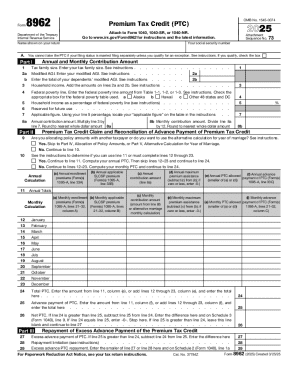
Related Forms


Get the latest insights from our blog


If you believe that this page should be taken down, please follow our DMCA take down process
here
.
This form may include fields for payment information. Data entered in these fields is not covered by PCI DSS compliance.